

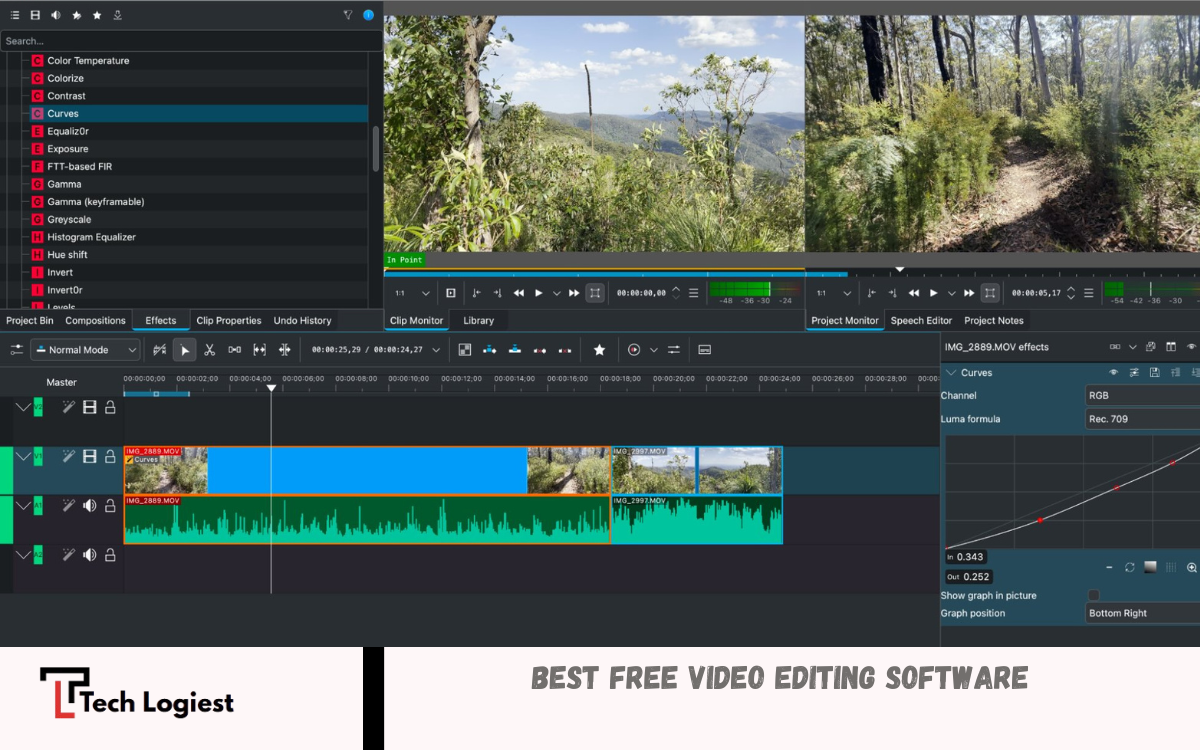
Creating high-quality videos is no longer limited to professionals with expensive tools. Free video editing software has revolutionized content creation, making it accessible to beginners, hobbyists, and even semi-professionals. These programs provide essential editing tools such as cutting, trimming, adding transitions, filters, and text overlays without requiring any financial investment.
One of the major advantages of free video editors is their user-friendly interfaces. Many come with drag-and-drop functionality, pre-designed templates, and intuitive timelines that simplify the editing process. Whether you’re producing videos for social media, YouTube, educational content, or personal projects, these tools allow creators to bring their vision to life without compromising on creativity.
What Is Free Video Editing Software?
Free video editing software refers to programs that allow users to edit, trim, cut, and enhance video content without requiring payment. These tools often provide essential features such as:
- Timeline editing
- Video trimming and splitting
- Adding transitions and effects
- Text overlays and titles
- Audio adjustment
Unlike premium software, free video editors focus on core functionalities while still enabling creators to produce polished results. Many free tools also support high-resolution exports, including HD and 4K, making them suitable for both casual creators and semi-professional projects.
Benefits of Using Free Video Editing Software
Free video editing software offers several advantages, especially for beginners or those experimenting with video creation:
Cost-Effective
The most obvious advantage is the cost. Free video editing software eliminates the need for expensive subscriptions or one-time purchases. Users can start creating content without any financial risk.
User-Friendly Interface
Most free editors are designed for ease of use. They feature drag-and-drop timelines, intuitive menus, and prebuilt templates that simplify the editing process. Beginners can quickly learn how to cut clips, add transitions, and apply effects.
Versatility
Modern free editors support multiple video formats and resolutions. Users can work with MP4, AVI, MOV, and other common formats, as well as export videos optimized for social media platforms or large displays.
Learning Opportunities
For aspiring editors, free video software serves as a valuable learning tool. Users can experiment with transitions, effects, and audio adjustments without worrying about costly mistakes.
Access to Creative Resources
Some free video editors include stock footage, audio libraries, and pre-designed effects. These features reduce the need for additional resources while enhancing creativity.
Top Free Video Editing Software in 2026
Several free video editing software options have become popular due to their features, reliability, and ease of use. Here are some of the best tools:
DaVinci Resolve
DaVinci Resolve is a professional-grade editor offering advanced tools like color correction, motion graphics, and audio editing. While it has a learning curve, its free version provides almost everything a beginner or intermediate user needs.
HitFilm Express
HitFilm Express combines editing and visual effects. It’s perfect for creators who want to add high-quality transitions, explosions, or animations. The software supports multiple formats and high-resolution exports.
OpenShot
OpenShot is lightweight, open-source, and easy to use. Its drag-and-drop interface makes editing simple for beginners. OpenShot supports unlimited layers and a variety of audio and video effects.
Read Also: Best Budget Smartphones 2026
Shotcut
Shotcut is another open-source solution with a wide range of features. It supports 4K video editing, multiple tracks, and professional filters, making it suitable for more experienced creators who want free software.
VSDC Free Video Editor
VSDC Free Video Editor is designed for Windows users. It offers timeline editing, audio editing, visual effects, and color correction. It also supports exporting videos for social media platforms.
How to Choose the Right Free Video Editing Software
Choosing the best free video editing software depends on the creator’s needs:
- Beginner-Friendly: Look for simple interfaces with templates and drag-and-drop functionality. OpenShot and Shotcut are great choices.
- Advanced Features: If professional editing, color grading, or VFX are needed, DaVinci Resolve and HitFilm Express provide advanced tools.
- System Requirements: Some editors require high-performance computers. Lightweight software like OpenShot works on lower-end systems.
- Format Support: Ensure the software supports the file formats used in your projects.
- Community Support: Popular free editors have active user communities, offering tutorials, templates, and troubleshooting assistance.
Essential Features to Look for in Free Video Editing Software
While all editors provide basic functions, some features make the editing process faster and more efficient:
- Timeline Editing: A clear timeline allows precise trimming and arranging of clips.
- Transitions and Effects: Smooth transitions and creative effects enhance video quality.
- Text and Titles: Adding captions, subtitles, or animated titles improves storytelling.
- Audio Editing: Adjusting audio levels, adding background music, or applying sound effects enhances engagement.
- Export Options: Look for tools that support HD, 4K, and social media-friendly formats.
Tips for Using Free Video Editing Software Effectively
Even with free software, creators can produce professional-looking videos by following a few best practices:
- Plan Your Video: Storyboard or outline your content to make editing faster.
- Use Templates and Effects: Prebuilt templates save time and improve video appeal.
- Keep Edits Simple: Avoid overusing effects, which can make videos look unprofessional.
- Optimize Audio: Clear audio is crucial; use music and effects sparingly.
- Export Correctly: Choose the best resolution and format for your target platform.
Limitations of Free Video Editing Software
While free video editing software offers many benefits, some limitations exist:
- Limited advanced features compared to premium software.
- Watermarks in certain free versions.
- Occasional performance issues with large files.
- Fewer built-in stock resources than paid tools.
Despite these limitations, free video editors remain excellent tools for learning, experimentation, and creating high-quality content on a budget.
Why Free Video Editing Software Is Ideal for Beginners?
Beginners can experiment, learn, and improve their skills without financial pressure. Free software allows users to understand video-editing workflows, explore creative effects, and build confidence before transitioning to premium solutions. Many professional editors also use free tools for quick edits, demonstrating their versatility and reliability.
Future of Free Video Editing Software
The future of free video editing software looks promising. Developers continuously add features like AI-powered editing, auto-subtitles, motion tracking, and advanced color grading. These improvements make it easier for creators to produce professional videos without investing in expensive software.
Frequently Asked Questions
Are there any limitations in free video editing software?
Some limitations include fewer advanced features than premium software, occasional watermarks, limited stock media, and performance issues with large video files.
Can I use free video editors for social media content?
Absolutely. Most free editors support export formats optimized for social media platforms like YouTube, Instagram, and TikTok.
Do free video editors support 4K video editing?
Many modern free editors, including DaVinci Resolve, HitFilm Express, and Shotcut, support 4K video editing and high-resolution exports.
Are free video editing software programs safe to use?
Yes, as long as they are downloaded from official websites or trusted sources. Avoid pirated versions, which may contain malware.
Can I add music and sound effects in free video editors?
Yes. Most free editors allow audio editing, including adding background music, sound effects, and adjusting audio levels for professional results.
Do free video editors require powerful computers?
It depends. Lightweight editors like OpenShot or Shotcut work on low-spec systems, while advanced tools like DaVinci Resolve require more RAM and processing power.
Can free video editing software replace paid tools?
For beginners and intermediate users, free software can often replace paid tools. For advanced professional projects, premium software may offer specialized features, but free editors remain highly capable.
Conclusion
Free video editing software democratizes video creation. With accessible tools, user-friendly interfaces, and growing features, anyone can produce high-quality content. From beginners exploring their first projects to semi-professional creators refining their craft, these programs provide all essential tools needed to succeed in today’s digital landscape.
Exploring free video editing software empowers creators, encourages experimentation, and removes barriers to content creation.
