

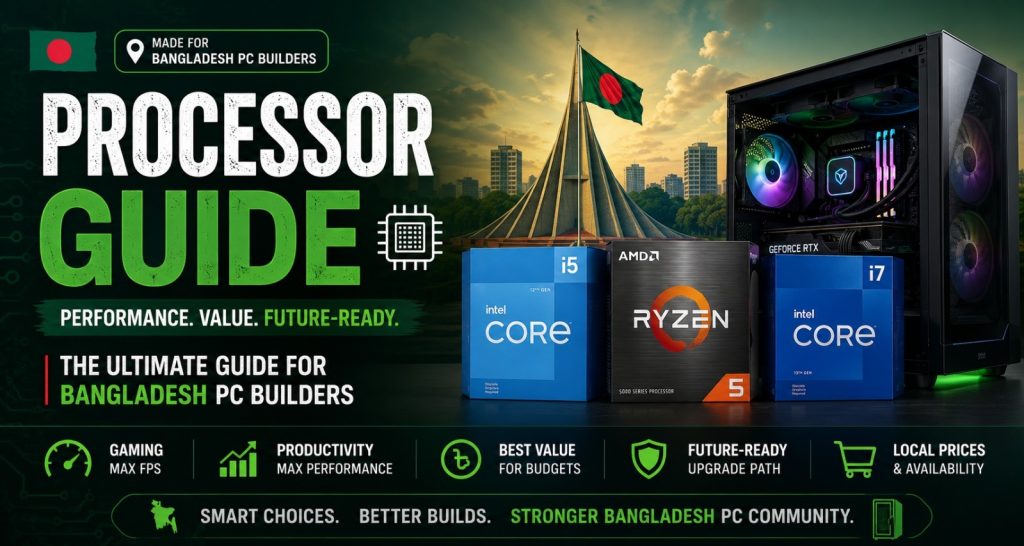
Choosing the right processor is the single most important decision in any PC build — and in Bangladesh’s market in 2026, the choice has never been more interesting or more confusing.
Intel Processor and AMD Processor are both fighting hard for the same buyers. Core counts are climbing. Cache sizes are growing. TDP numbers keep changing. Walk into any tech shop in Dhaka’s Elephant Road or browse any Bangladeshi PC building group on Facebook and you will see the same arguments playing out every day. However, most of those arguments miss the point. The right processor is not the most powerful one — it is the one that fits your budget, your use case, and the rest of your build.
This guide breaks down how processors actually work, what the specs mean for real-world use in Bangladesh, how Intel and AMD compare right now, and exactly how to pick the right CPU for your specific situation. Moreover, it covers every use case — gaming, office work, content creation, and student builds. Read this once and processor buying becomes straightforward.
What Is a Processor and Why Does It Matter So Much?
A processor — also called a CPU (Central Processing Unit) — is the brain of every computer. Every calculation, every instruction, every click you make gets processed here before anything else happens on screen. Furthermore, the processor’s speed and efficiency determine how fast applications open, how smooth multitasking feels, and how well a PC handles demanding workloads like gaming, video editing, or running multiple software tools simultaneously.
No other component in a PC build affects overall performance as directly as the processor. A slow CPU bottlenecks a fast GPU in gaming. It throttles RAM performance in heavy multitasking. It caps how quickly a video renders or a large file compresses. Moreover, unlike RAM or storage, the processor cannot be easily upgraded later on most motherboard platforms — which makes getting this decision right the first time genuinely important for Bangladeshi PC builders.
Processor Specifications Explained — What the Numbers Actually Mean
Processor Cores and Threads — More Is Not Always Better
Cores are independent processing units inside a single CPU chip. More cores handle more tasks simultaneously — useful for video editing, 3D rendering, and running multiple applications at once. Threads are virtual cores created by Hyper-Threading (Intel) or SMT (AMD) technology, doubling the number of tasks a physical core can handle at the same time. However, for pure gaming in Bangladesh, a fast 6-core processor often outperforms a slower 16-core one — because most games prioritise single-core speed over core count. Therefore, matching core count to actual use case matters more than chasing the highest number.
Processor Clock Speed — GHz Explained Simply
Clock speed — measured in GHz — tells you how many instructions a processor executes per second. A 5.0 GHz processor completes 5 billion cycles every second. Higher clock speed generally means faster single-core performance for tasks like gaming and general applications. However, comparing clock speeds only makes sense between processors of the same architecture. A 4.0 GHz AMD Ryzen often outperforms a 4.5 GHz older Intel Core in the same workload — because newer architectures complete more work per clock cycle. As a result, GHz alone is a misleading spec without context.
Cache Size — The Processor’s Fastest Memory
Cache is ultra-fast memory built directly into the processor chip. L3 cache — the largest level — stores frequently used data close to the processor cores, dramatically reducing the time spent waiting for data to arrive from RAM. AMD’s 3D V-Cache technology in the Ryzen 7000X3D series stacks extra L3 cache on top of the chip, giving gaming processors a significant real-world performance advantage that raw clock speed or core count alone does not explain. Furthermore, large cache makes a noticeable difference in games and applications that repeatedly access the same data sets.
TDP — What Processor Power Consumption Means for Your Build
TDP (Thermal Design Power) tells you how much heat a processor generates under load — and therefore what kind of cooling your build needs. A 65W TDP processor runs cool on a basic air cooler. A 125W TDP processor needs a quality mid-range air cooler or AIO liquid cooler to stay within safe operating temperatures. Moreover, high-TDP processors in Bangladesh’s warm climate — particularly in non-air-conditioned rooms during summer — require more attention to case airflow and cooling quality than the same hardware running in a cooler environment. Therefore, TDP is a practical spec, not just a technical one.
Intel vs AMD Processor — Which Is Right for Bangladesh Buyers in 2026?
This is the question every Bangladeshi PC builder faces. Both brands make excellent processors in 2026. However, they suit different priorities — and understanding those differences makes the choice much easier.
| Factor | Intel (Core Ultra / 14th Gen) | AMD Ryzen (7000 / 9000 Series) |
| Gaming Performance | Excellent single-core speed — top for 1080p gaming | 3D V-Cache models lead in many gaming titles |
| Multi-threaded Work | Strong across content creation and productivity | Excellent — often leads in rendering and encoding |
| Power Consumption | High TDP on performance models — needs good cooling | More efficient on newer architectures |
| Platform Longevity | New socket with each generation recently | AM5 socket supports multiple future generations |
| Price in BD | Competitive across all tiers | Often better value at mid-range |
| Best For | Gaming, office, general use | Content creation, future-proofing, value builds |
Honestly, either platform builds a great PC in 2026. Intel Core i5 and i7 remain strong choices for gaming-focused builds in Bangladesh. AMD Ryzen 5 and Ryzen 7 offer better value for content creators and buyers who want a platform that supports multiple future processor upgrades without changing the motherboard. Therefore, the right choice depends on what the build is actually for.
Which Processor Should You Buy? — By Use Case for Bangladesh
Best Processor for Gaming in Bangladesh
Gaming prioritises single-core speed and cache size above everything else. Intel Core i5-14600K and AMD Ryzen 5 7600X sit at the sweet spot for gaming builds in Bangladesh — both deliver excellent frame rates in all current titles without bottlenecking even a high-end GPU. For buyers willing to spend more, the AMD Ryzen 7 7800X3D is arguably the best pure gaming processor available in the world right now, thanks to its massive 3D V-Cache advantage. Furthermore, Intel Core i9-14900K suits buyers who want maximum gaming performance with no compromise.
Best Processor for Office and Student Use in Bangladesh
Office and student builds do not need gaming-level processors. Intel Core i3-14100 and AMD Ryzen 5 5600 handle document editing, web browsing, video calls, and online classes without any bottleneck at a price that leaves budget for better storage or RAM. Moreover, processors with integrated graphics — Intel Core i3 and i5 with Intel UHD Graphics — remove the need for a dedicated GPU entirely, which significantly reduces build cost for students and office users who do not game. Consequently, these are the most practical and cost-effective processor choices for the majority of Bangladeshi buyers.
Best Processor for Content Creation and Video Editing
Content creation — video editing, 3D rendering, music production, graphic design — benefits from high core counts and large cache. AMD Ryzen 9 7900X and Ryzen 9 7950X are the workstation-level choices that many Bangladeshi content creators target. Intel Core i7-14700K also delivers strong multi-threaded performance at a slightly more accessible price point. Furthermore, for buyers doing 4K video editing regularly, the difference between a 6-core and a 12-core processor in render time is measured in hours, not minutes. Therefore, investing in a higher core count processor pays back in time saved every single working day.
Budget Processor Builds for Bangladesh — Best Value Options
Tight budget? AMD Ryzen 5 5600 on the AM4 platform remains one of the best-value processors ever made — strong gaming performance, six cores, and a mature ecosystem of affordable compatible motherboards and DDR4 RAM. Intel Core i3-13100F is another strong budget option for buyers on the Intel platform. Moreover, buying a previous-generation processor on a proven platform — rather than the latest generation on a brand-new platform — often delivers significantly better overall value for Bangladeshi buyers working within a fixed total build budget.
Processor Buying Tips for Bangladesh — What to Check Before Ordering
Getting the processor right means checking more than just the model name. Here is what every Bangladesh PC builder should verify before confirming a purchase:
- Socket compatibility — specifically, confirm the processor socket matches your chosen motherboard before ordering; LGA 1700, AM4, AM5 are not interchangeable
- Cooler included or not — moreover, many performance processors ship without a cooler; budget for a separate cooler if buying a K-series Intel or X-series AMD
- DDR4 vs DDR5 — furthermore, check which RAM generation the processor platform supports; mixing is impossible and the price difference is significant
- PCIe generation — additionally, newer processors support PCIe 5.0 for GPU and NVMe SSD; relevant if buying a high-end storage or GPU upgrade soon
- Warranty and genuine stock — above all, buy from a verified retailer with official warranty; grey-market processors in Bangladesh sometimes carry no warranty at all
Frequently Asked Questions About Processors
Q1. Which processor is best for gaming in Bangladesh in 2026?
AMD Ryzen 5 7600X and Intel Core i5-14600K are the top mid-range gaming processor choices for Bangladesh in 2026. Both deliver excellent frame rates in current titles. For maximum gaming performance, the AMD Ryzen 7 7800X3D leads most gaming benchmarks due to its 3D V-Cache advantage. Moreover, both AMD and Intel platforms are widely available with official warranty at major Bangladeshi PC retailers.
Q2. Intel or AMD — which processor is better for Bangladesh buyers?
Both are excellent in 2026. Intel Core i5 and i7 are strong for gaming and general use. AMD Ryzen 5 and Ryzen 7 offer better value for content creation and future platform longevity since the AM5 socket supports multiple upcoming processor generations. Furthermore, AMD often delivers better performance per taka at the mid-range tier — which matters most for Bangladeshi buyers working within a fixed build budget.
Q3. What does processor core count mean for real-world use?
More cores handle more tasks simultaneously. For gaming, 6 to 8 fast cores are optimal — additional cores beyond that provide diminishing returns in most current titles. For video editing, 3D rendering, and heavy multitasking, however, 12 to 16 cores make a meaningful real-world difference in how long tasks take to complete. Therefore, match core count to your actual primary use case rather than buying the highest number available.
Q4. Do I need a separate cooler for my processor?
It depends on the processor. AMD Ryzen 5 5600 and Intel Core i3 include adequate stock coolers for normal use. Performance processors — Intel K-series and AMD X-series — do not include coolers and require a separate purchase. Moreover, in Bangladesh’s warm climate, even processors that include stock coolers benefit from an aftermarket air cooler during summer months when ambient temperatures are high. As a result, budgeting ৳2,000 to ৳5,000 for a quality cooler is always a sensible addition to any build.
Q5. What is the difference between DDR4 and DDR5 for processors?
DDR5 is the newer, faster RAM standard supported by Intel 12th gen and later, and AMD Ryzen 7000 series on AM5 platform. DDR4 is the mature standard supported by older platforms including AMD AM4 and Intel 10th/11th gen. Furthermore, DDR5 kits cost more than DDR4 at equivalent capacities. For most gaming and general use in Bangladesh, DDR4 on a previous-generation platform still delivers excellent performance at noticeably lower total build cost. Therefore, DDR5 makes most sense when building on the latest platform from scratch.
Q6. How long does a processor last in Bangladesh conditions?
A quality processor from Intel or AMD lasts 7 to 10 years or longer under normal operating conditions. Bangladesh’s warm climate and occasional power fluctuations are the two main risk factors — proper cooling and a quality UPS or surge protector address both effectively. Moreover, processors rarely fail if kept within safe operating temperatures. As a result, buying a quality processor with official warranty from a verified Bangladeshi retailer is a long-term investment that pays back over many years of daily use.
Final Thoughts — Getting Your Processor Decision Right in Bangladesh
Processor buying in Bangladesh comes down to three things: what you are building the PC for, what your total budget allows, and which platform gives you the best upgrade path for the future. Gaming on a tight budget — AMD Ryzen 5 5600 or Intel Core i3-14100F. Mid-range gaming — Ryzen 5 7600X or Core i5-14600K. Content creation — Ryzen 9 7900X or Core i7-14700K.
Moreover, do not let spec numbers distract from the fundamentals. A well-matched processor in a well-built system with proper cooling and quality RAM will outperform a more powerful processor in a poorly assembled build every single time. Furthermore, buying from a verified retailer with genuine warranty in Bangladesh protects that investment for years. Therefore, take the time to match the processor to the build — and the build to what you actually need it to do.
Looking for the best Processor Price in BD? Explore Techland BD’s best-selling Intel and AMD processors at competitive prices with official warranty and trusted customer support.